Saturday, March 29, 2008

Optimizing your Keywords

Looking to optimize your keywords? Need to know how popular your keywords are? This handy little Search Term Suggestion Tool will find great keywords to help promote your site.


Search Term Suggestion is a free tool that produces a list of relevant search terms that match with your keyword.
Knowing what exact search phrases customers use to find your products or services enables you to maximize the available search engine traffic.

http://www.addme.com/keywordsuggest.htm


I tried it out by typing in "Marketing" and got the following results!


Wednesday, March 26, 2008

Let Alltop help you promote your blog

Photo by Catherinemarketing tip of the day

I found an interesting place to promote your blog. I was reading their FAQ and it said:

Q. Some of my favorite sites are not included, how do I get you to add them?
A. Please
send us an email, and we’ll consider them. Please note: if your favorite sites don’t provide an RSS feed, we cannot import their stories.


So I sent them an email with three of my blogs, and the very next morning they had all three listed at moms.alltop.com, displaying my five latest stories titles, and fairly high up on their list too. I expected to have to start at the bottom.

Hungry for more blog to read? Well check out or new friends over at Alltop.com. Think of Alltop as a ‘dashboard’ that aggregates stories from all the top sites on the web and displays them on a single page.

Alltop sites bring you stories from topics that include career, small business, social media, venture capital, design, gadgets, gaming, celebrity gossip, fashion, gaming, sports, politics and so much more!

Head over to Alltop’s main page and pick your interest.


Recent Keyword Searches: hits for key word searches, keyword hits, keyword search, average hits, how to change the title of blogger hack, blogspot backlinks, shoestring marketing, backlink builder tool, marketing shoestring, marketing add url, marketing on a shoe string

Thursday, March 20, 2008

Looking for High-Dollar Keywords?

Photo by Catherine
Free Google Adsense Keywords Search ToolI just found a handy little tool - Free Google Adsense Keywords & YPN Keywords Search Tool! Check it out -


Iotaweb.org offers free Google Adsense keywords and Yahoo Publisher's Network (YPN) Keywords. With the ability to search a growing database of tens of thousands of high-dollar Adsense keywords, Iotaweb allows publishers to find the keywords and key phrases that will allow them to focus their content to monetize their site most effectively.

They say the prices fluctuate constantly, but I tried putting my some of my keywords just to see how it worked.

Adsense came back at $ 21.64!
Blogger had no value.
Blogger Hacks had no value.
Earnings came back with "Earnings Conference Call" for $3.30.
Keywords had no value.
Marketing came back with a wholelist of words, such as
Direct Marketing Software - $12.17
Email Marketing - $11.40
Email Marketing Software - $10.25
Keyword Marketing - $8.15
SEO tools had no value, but SEO was $1.88.


Recent Keyword Searches: marketing add url, marketing on a shoe string, shoestring marketing, average hits of keywords, page views earnings,post rating widget blogger, backlink widget, the best today's earning in adsense, blogger hack meta description posts, # 1 on google

Thursday, February 7, 2008

SEO Tools : Backlink Builder

Photo by Catherineback link builder SEO tool
Found this great little tool at http://www.webconfs.com/backlink-builder.php . I will be kept busy with this tool, it came back with 210 websites to add my link, with the word "pregnancy" (for my Pregnancy Stories blogs)


Backlink Builder: This tool searches for websites of the theme you specify that contain keyphrases like "Add link", "Add site", "Add URL", "Add URL", "Submit URL", "Add Article" etc. Most of the results could be quality potential backlinks.

Importance of Backlinks
This article will explain to you what a backlink is, why they are important, and what you can do to help gain them while avoiding getting into trouble with the Search Engines.


Backlink Builder


Enter Keyword (Theme)


Recent Keyword Searches: shoestring marketing tips, how to begin to hack, marketing on a shoestring, keyword hits, blogger three column hack

Tuesday, February 5, 2008

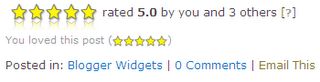
Post Rating Widget for Blogger

I really liked this widget, and found it easy to install, once I figured out why it wasn't working!

From Blogging To Fame - Bloggers Bread :

Post Rating Widget for Blogger
I will show you how to install Post Rating widget to your blog. The Simple steps given below will install this beautiful widget easily. Below is the screen shot of this widget

Post Rating Widget for Blogger

Thursday, January 24, 2008

Adsense Earnings at the Beginning & Today

I signed up with Google Adsense on May 8th, 2006 (my birthday!) and was sent my first cheque on June 23th, 2006. I made enough the very first month because I already had a busy website www.borntolove.com, that I had added Adsense to, along with my new blogs. If not for my website, it would have taken a lot longer to recieve my first paycheque! I think I forgot to make channels for every ad I placed, so it doesn't match the total.

May 1, 2006 - May 30, 2006 - Total - $182.02
Born to Love - $152.72 (584,546 page views)
Life Begins... - $0.39 (1,525 page views)
Frugal Baby Tips - $1.78 (583 page views)
Stories of Pregnancy & Birth over 44y - $15.49
(3,498 page views)


Photo by Glztt

Here we are, 20 months later, and my earnings have increased nicely! Borntolove.com still carries the bulk of my earnings, but the blogs are coming along nicely, and I have added a few new ones. Right now, some of the blogs aren't earning money - I'll have to work on that! Hmm... still doesn't add up to the total - I'll have to see what ads aren't connected to channels.

January 1, 2008 - January 31, 2008 - Total - $365.84
Born to Love - $199.51 (691,947 page views)
Life Begins... - $2.10 (1,948 page views)
Frugal Baby Tips - $3.82 (1,751 page views)
Stories of Pregnancy & Birth over 44y - $25.00 (19,157 page views)
Pregnancy Stories by Age - $28.62 (21,292 page views)
You Can Get Pregnant - $51.64 (6,742 page views)
Top Gambling Secrets - $1.18 (196 page views)

My goal this year is to get my daily average up to $20.00 (or more!) a day. For the past week or so, it's about $12.00/day.

Interestingly enough, while my earnings have increased in the past month, "some publishers have said their earnings are flat or up from the previous month but most are reporting a drop in earnings."

Wednesday, January 23, 2008

Page 1 on Google in 22 days!


I am sure, like me, you receive those emails about how they will help get your site to the top of page 1 on Google, for just a small fee. I have seen anywhere from $100 to $4,500 quoted!


Be first on MSN, GOOGLE, YAHOO ..
"Without being seen first on the search engines, your site can be little more than a glorified business card"
"If you're seen first on the major search engines, chances are you're the one people will call first. It's that simple."

Once, when I had pnemonia, and my website host suddenly changed my URL (this was in my pre-domain days of borntolove.com) - I broke down, and paid someone $99 to get me re-listed quickly - or so I thought...

Didn't make one bit of difference! I was so angry. So, as soon as I got better, I went back to my slow but sure method of submitting my site individually myself to the various search engines and waiting. And yes, it worked well for me, as it always did.

So I created this Marketing on a Shoestring blog on January 3/08, more to keep track of my marketing efforts and blog hacks than anything else. I did nothing, spent nothing, to promote it.

On January 4th, I received my first comment! A few days later, Blogger Templates (gave me 199 hits so far) added my link to my Blogger Hack: Three Columns, Any Browser on their site. Every day I post a new post, they update my link!

Insight Of Nothingness offered free links to 50 blogs, and I was fortunate to get 4 of my blogs added on the list.

So I decided to list the Marketing blog, along with my other blogs at BlogCatalog.com (11 hits), Zimbo.com (2 hits), Sitehoppin.com (17 hits), MyBlogLog.com (2 hits), DotDashCreate.com (18 hits) and Bumpzee.com (0 hits). Added a stats counter from Statscounter.com.

Still hadn't gotten around to listing it on any of the search engines, it was still too new. So I thought the other day, I would just check for search engine hits on my Recent Keyword Activity page of StatsCounter. And discovered I actually already had 13 Google hits!

Page one on Google
So I click on some of the links to see where I am at, and find the following:

Date______Name____________ Query_________
Jan 6 -- blogsearch.google.com -- link:http://dzrbenson.com/blog/
- My Recent Keyword Search Increases Hits article is on page 1, 2nd listing down!

Jan 12 -- www.google.com -- hack three
-- My Marketing on a Shoestring: Blogger Hack: Three Columns, Any Browser article is on page 1, 2nd listing down, AND the coveted indented second entry Marketing on a Shoestring : Marketing on a Shoestring underneath.

Jan 15 -- blogsearch.google.com -- blogged find better blogs
- My Recent Keyword Search Increases Hits article comes up as
"Results 1 - 1 of about 1 for blogged "find better blogs"."

Jan 18 -- www.google.co.uk -- dotdashcreate.com
- My Marketing on a Shoestring: 1/6/08 - 1/13/08 article comes up on page 1, 9th listing down.

Jan 23 -- www.google.com -- marketing tip white space
- My Marketing on a Shoestring article comes up on page 1, 3rd listing down.

No, not every listing made it to page 1, but 5 out of 13 isn't bad and none were further back then page 2.

Considering I still haven't spent much time (and absolutely NO money) promoting the blog, AND it's only 23 days old - I am impressed with my little blog!

Tuesday, January 22, 2008

Recent Keyword Search Increases Hits

I did a little experiment, by adding the links to recent keyword searches from my StatsCounter account to the bottom of my posts, in each of my many blogs, as of December 24, 2007.

Let's use my Pregnancy Stories blog as an example: Prior to this my average page loads was 343, unique visitors was 169, first time visitor was 139, and returning visitors was 30.


Immediately I saw a difference, but decided to put it down to the holidays and many people getting new computers for Christmas. But after one month, the increase has continued.

Average page loads has increased to 692, unique visitors to 299, first time visitors to 250, and returning visitors to 50.


What I did was I went to my Recent Keyword Activity in StatsCounter for each blog, highlighted a keyword search, copy (CTRL-C)and pasted (CTRL-V) the link to the blog: blogger page elements - this easily copied the link as well as the words to my blog in one step.

For the Pregnancy Stories By Age blog, I put 5 keyword search links in a small font at the bottom of each post, and kept to my daily habit of 5 story posts each day. (For the other blogs, I added 10 links and posted once a day)


Now, I also started adding more links in the body of my posts, linking words to Wikipedia pages or revelent articles or sites. This can be harder to do with the pregnancy stories, as few words were appropriate to use, but the other blogs, such as You Can Get Pregnant in Your 40's and Life Begins... worked much better for this method.

Of course, this also affected my Goodle Adsense clicks and earnings.
From Dec13-24, average daily clicks was 36, average daily earnings $7.20
From Jan 8-13th, average daily clicks was 70, average daily earnings $11.43

Why did this work? Well, since people found my blogs with these words, they are obviously relevant and targeted. Targeted keywords generate targeted visitors, and targeted visitors are much more likely to be active while on the pages of your website.

More stats on my busier blogs:

Frugal Baby Tips:
Dec 13-24/08 - Average: 31 Page Loads, 17 Unique Visitors, 16 1st Time Visitors, 1 Returning Visitors

Jan 8-22/08 - Average: 58 Page Loads, 35 Unique Visitors, 32 1st Time Visitors, 3 Returning Visitors

Life Begins...:
Dec 13-24/08 - Average: 32 Page Loads, 29 Unique Visitors, 27 1st Time Visitors, 3 Returning Visitors
Jan 8-22/08 - Average: 65 Page Loads, 54 Unique Visitors, 50 1st Time Visitors, 4 Returning Visitors

You Can Get Pregnant in Your 40's:
Dec 13-24/08 - Average: 112 Page Loads, 77 Unique Visitors, 66 1st Time Visitors, 11 Returning Visitors
Jan 8-22/08 - Average: 212 Page Loads, 157 Unique Visitors, 137 1st Time Visitors, 19 Returning Visitors


Stories of Pregnancy & Birth Over 44y:
Dec 13-24/08 - Average: 375 Page Loads, 249 Unique Visitors, 176 1st Time Visitors, 73 Returning Visitors
Jan 8-22/08 - Average: 602 Page Loads, 383 Unique Visitors, 287 1st Time Visitors, 96 Returning Visitors


Pregnancy Stories By Age:
Dec 13-24/08 - Average: 343 Page Loads, 169 Unique Visitors, 139 1st Time Visitors, 30 Returning Visitors
Jan 8-22/08 - Average: 692 Page Loads, 299 Unique Visitors, 250 1st Time Visitors, 50 Returning Visitors

I haven't even promoted this Marketing blog yet, since it is still so new, only 22 days old. But already it has come up 10 times in the Google search engines, so I will try adding the Recent Searches links here as well.

Recent Keyword Searches: blogger page elements, dotdashcreate.com, shoestring marketing, blogger hacks, #header .description { blogger fix, blogged find better blogs, blogger hack, float hack ie6 three column, hack three, link:http://dzrbenson.com/blog/

Friday, January 11, 2008

Blogger Hack: Before I begin...

I want to change my Pregnancy Stories blog to three columns - Blogger Hack: Three Columns, Any Browser, but before I do, I need to retrace my steps and find the previous blog hacks I used, which will be deleted when I change the template to Minima to begin. So...

♦ First, the meta tags hack:
Blogger Title & Meta Tag Keyword ,Description hack - Blog SEO Tip
Some easy mods to optimize the Meta tags for Keywords, Description, Title and even customize for the Index page, post page and archive !

♦ Next, I added a picture to the header, and then moved over the words to the right so they were clear of the picture, by changing the header description margin - I added 300px at the end:

#header .description {
margin: 10px 5px 5px 300px;

♦ To create more white space between the main posts and the sidebars, I went to Add or Remove Borders in CSS Templates:

Scroll to where you see this and change or insert the code (shown in red):-

.post {
border:1px dotted #ff00ff;
padding:1.5em;
}

We have included a padding to give some space between the contents and the border. Without this padding, the text will be too close to the border.


♦ Had an idea, I wanted the background of the posts to be different than the rest of the page, so I went back to this and added:

.post {
background:#ffFFff;
padding:1.5em; }

♦ Then I added the label tabs - Tabs are in place!:
changing the background colour to match the page:

#tabsB {
float:left;
width:100%;
background:#FFFFe6;

♦ To place the label tabs below the Header, I changed this showaddelement to "yes", and dragged the new label Page Element there:

div id='crosscol-wrapper'
b:section class='crosscol' id='crosscol' showaddelement='yes'


♦ To move around all the Page Elements, the "maxwidgets" & "show elements" must be set to "2" & "yes".

There is one in the header:

b:section class='header' id='header'
maxwidgets='2' showaddelement='yes'


And the main wrapper:

div id='main-wrapper'
b:section class='main' id='main' showaddelement='yes'
/b:section


♦ Next adding FeedFlare to the footer - Paste the code just below

div class='post-footer'

or just above:

p class='post-footer-line

♦ To place the tiny pic next to the title of each post, I added the following between a expr:href='data:post.url' and data:post.title/:

img src='http://www.borntolove.com/tn_golden_egg2.jpg' style='border-width:0px'/

Hopefully that's all the changes I made, and I won't lose anything important as I begin the transformation!

Wednesday, January 9, 2008

Blogger Hack: Three Columns, Any Browser

This is so simple to do! I thought it would be hard, confusing and frustrating. But I found the initial info on Blogger Widget and Tips-Tricks, and then made a few changes to make it work for any brower size.

First I switched my test blog to the Minima template. Followed each of the steps in his post. Then I made some changes to his additions:

Step one:

#sidebar-wrapper {
width: 220px;
(I changed 220px; to 25%;)
float: right;
word-wrap: break-word; /* fix for long text breaking sidebar float in IE */
overflow: hidden; /* fix for long non-text content breaking IE sidebar float */
}


Step Two:

#newsidebar-wrapper {
width: 220px;
(I changed 220px; to 25%;)
float: left;
word-wrap: break-word; /* fix for long text breaking sidebar float in IE */
overflow: hidden; /* fix for long non-text content breaking IE sidebar float */
}


Step Three:

#outer-wrapper {
width: 850px; (I changed 850px; to 100%;)
margin:0 auto;
padding:10px;
text-align:left;
font: $bodyfont;
}


Then I found & changed the following:

#main-wrapper {
width: 410px; (I changed 410px; to 46%;)
float: $startSide;
word-wrap: break-word; /* fix for long text breaking sidebar float in IE */
overflow: hidden; /* fix for long non-text content breaking IE sidebar float */
}

and also:

#header-wrapper {
width: 660px; (I changed 660px; to 90%;)
margin:0 auto 10px;
border:1px solid $bordercolor;
}

and finally:

#footer {
width:660px; (I changed 660px; to 100%;)
clear:both;
margin:0 auto;
padding-top:15px;
line-height: 1.6em;
text-transform:uppercase;
letter-spacing:.1em;
text-align: center;

It's perfect! Now to try it here on this blog...

Marketing Tip for 1/9/08

Tried to sign up for Vibe today, but once I was signed in, I found most of the links didn't work and it's been over a month since anything new was added. I'll try to check back in a while to see if the site is active again.

Got a note about an update at dotdashcreate.com that they have added a "Add Your Blog" to your profile, and to change your profile from "Private" to "Public" if you wish people to be able to see your list of blogs. So I went back in and added my blogs.

The RSS line cut off the address, so I was unable to add that info in. I wrote to the owner of the site to see if that could be fixed, and if there was any way to update your blog listing once it was fixed?

UPDATE: Ashley, the owner and designer of dotdashcreate.com wrote to me the next day to let me know the problem was being fixed, wrote back when it was fixed and then offered to add in my RSS feed addresses for me. Which is quite an offer since I have 8 blogs listed! Very nice tech support, and I've already gotten some hits from this site. Thanks Ashley!

Tuesday, January 8, 2008

Marketing Tip for 1/8/08

Another place to promote your blog:

http://bloglist.visionmind.net/index.php/your-blog-here/

Best done in IE, because in Mozilla I couldn't see half of the form, and there was no submit button.


The main concept of The Blog List is really simple and very useful. It’s as easy as telling us what your blog is all about and let us divulge it. If you find this interesting add this blog to your favorites.

Tried to join Blogcave (A Social Networking Community Where Bloggers Meet Readers), but there is a glitch with their sign in page, and I can't get past it. It keeps telling me - "You missed some fields..." - I think that it is the 2nd password field that you can see for a few seconds when you go back, but then it disappears. Tried it in both IE and Mozilla - same problem.

Monday, January 7, 2008

Marketing Tip for 1/7/08

Finished adding my blogs to the Bumpeze site today, though I still need to go back and add widgets to a few of them. I figure I will wait till I update each blog's look. They offer to let you add a picture after you load each blog information, but there doesn't seem to be any way to connect the pictures to a blog. When you go to your dashboard, it says "screenshot not available yet".

Then I went and joined the Women Bloggers community that monawea suggested.

While I was checking on my blogs at BlogCatalog.com, I answered a few questions in the Women Bloggers discussion forum, hopefully making a few friends.

Making a typing error, when I was typing in Blogger.com, I ended up on Blogged.com (find better blogs), so I thought I would add my blogs there as well. So far, I am still waiting on a verification email, that hasn't arrived after a 2nd click. However, in the meantime, I am adding the blogs.

Better get to this one quick at Dotdashcreate.com:

Posted by ashleyford on the BlogCatalog discussion forum:
Everyone thats added their blogs on Dotdashcreate.com will get featured for Logged in users in the coming months, this will help to add to your readers and hits. Im also building a widget that will display random blogs on the homepage to help you all out with promotion.im closing the Submit your Blog form on the homepage shortly to non registered users so if you still haven't added your blog this is your last chance!

Tabs are in place!

It took me 5 DAYS, thanks to Blogger server problems, but I finally have the tabs up and working!

I used to have the tabs up on my Pregnancy Stories blog, and found people used them all the time, according to my stats on Statscounter.com. But when I updated the blog, I didn't know how to make them work in the new Beta Blogger, so deleted them. Right away, I noticed the difference, even though I provided text links at the top of the sidebar column.

But there have been many days of information overload, and I kept putting it off as too much work. Finally, looking at Horatio's blog, I realized that he had a new updated version for Beta Blogger, and decided to put them on here to test it out.

What an ordeal it became! Most of it was because of Blogger server problems - every time I tried to preview or save, I got error messages that it couldn't. Took me 5 days to finally save the last step. But it works like magic once it's done. I've added them back to the Stories blog as well.

The only thing I didn't like, was that there was no way to match up the background colour to my blog background colour, or to make it transparent. So I went back to Horatio's blog to see if he had any ideas?

What do I find? He has yet ANOTHER update to his tabs hack! Maybe in a few days I will tackle that one...

Sunday, January 6, 2008

Marketing Tip for 1/6/08

Still struggling with the labels! Arrgh!

OK, today I came across a couple more sites in the BlogCatalog discussion forums, to list my blogs on.

1. Posted by keetsa : I just signed up for sitehoppin.com that brought me extra 500 visitors for the post I submitted. Check it out.

SiteHoppin' - Verb 1. - To go from one site to the next with a beer in your hand and get progressively more "happy" and enjoy interesting websites with a click of a button.

So I signed up and was able to list all of my blogs fairly easily. There doesn't seem to be any link back required. Each blog was given a Talk page

2. Posted by monawea : I started a Women Bloggers Group on Bumpzee a few months before this one. I though some of you might want to join the Bumpzee group as well. www.bumpzee.com/womenbloggers/

Welcome to BUMPzee.com ...read blogs, comment here or there, start new discussions, network with others.

So I went to start adding my blogs, which requires a fair-size widget to be placed on your blog. I am getting tired of cluttering up my blog with all these widgets, etc, but I placed it at the bottom of the blog. Seems a lot more tenedous to get my blogs listed. I only have one finished so far.

Then there was a Free Back Link post:

3. Posted by dzrbenson : I'm offering free back links from my blog, I feel like I should help the people that helped me start blogging. So if you want a free blog link dzrbenson.com/blog/?p=281 My site averages about 1000 - 1500 Unique visitors per day. So thats quite an opportunity to be noticed DzRBenson

He writes "Insight Of Nothingness "
Mental Rants and Raves - Where You Might Find Everything Or Nothing


So I figure why not? Couldn't decide which blog to offer, so I listed them all and told him to pick any of interest. Turns out his fiance is expecting a baby, so he generously gave me 4 links! Pretty generous when he was only offering 50 free links total!

Frustration, and a new report

A-r-g-h! You will have to excuse the "mess", but I have spent 3 days now trying to add labels to this blog, but Blogger keeps giving me error messages of a server problem. As soon as I get it working, I will report about how it went.

In the meantime, I came across a new report on the Mark Flavin Marketing blog that I thought might be interesting to read.

How To Make Money Blogging

Here’s a new report to show you how to get started blogging, how to get traffic to your blog & how to make money from it.
It’s written in a nice simple step by step format so if you already know the basics you can just skip along to another chapter.Click below to download it now.
How To Make Money Blogging<<--Download
Remember you are free to give away the reports to your list, subscribers, friends, family… anyone! but the content of the report cannot be changed.

Saturday, January 5, 2008

Marketing Tip for 1/5/08

Found this little gadget on The Lactavist blog, and thought I would try it out.

I created a Swicki for this blog, to see how it works out. One of the advantages of starting this blog is that I can try things out here, before adding them to my blogs already earning money.


Eurekster, Inc. (http://www.eurekster.com/) is a pioneer and
leader in social search technologies. Its custom search portal and widget ("swicki") harness the knowledge, passion and behavior of online communities to improve the search experience, while creating online assets for web publishers
and infopreneurs.

Users can build and customize their search portal on any topic, and share and distribute the social search widget to grow a community of interested users. With every search, the swicki becomes more relevant and meaningful to the user community, and more valuable to the swicki builder.

Friday, January 4, 2008

Marketing Tip for 1/4/08

This morning I got a BlogCatalog broadcast from hobsdv: " We at the general marketing blog have just launched http://www.blurbblogdirectory.info Feel free to submit your blogs"

So I joined BlogBlurb Directory and added all my blogs. It was a fairly easy process, and my blogs were all approved quickly. But there doesn't seem to be any way to update or change your listing yet. Nor did they provide a proper link back.

Work for the future:
From FronTools: Social blogging networks are the best way to promote your blog for free, you just have to register.
http://www.bumpzee.com/, http://www.pijoo.com/, http://blogcave.com/, http://www.blogdune.com/, http://www.bloggingzoom.com/, http://www.bloggingbuzz/, http://www.cre8buzz.com/

Thursday, January 3, 2008

Blog Hacks: Adding Adsense between your blog posts

So, since the Page Elements don't seem to work for Adsense (see Don't trust Blogger Page Elements! ), I had to figure out how to add my Adsense ads between my posts, since that's supposed to be the best placement for them.

A quick search of the Blogger Help Group , found the Blogcrowds article Insert Google Adsense Into Blogger XML Post Body, and a handy-dandy HTML Parser to make the Adsense code work in HTML

Thanks Stavanger!

Don't trust Blogger Page Elements!

Today I learned an expensive lesson in marketing! After Christmas, I decided to update the look of my best blog, Pregnancy Stories, a fresh look for the New Year!

Immediately, Adsense stopped recording page views for that blog! What did I do wrong? At first I thought I was in trouble because I was fussing so on the way the page looked and kept refreshing after changes. I thought they were penalizing me for false page views. But really, it didn't add up to all that many? I wrote them an email, but being the holidays, I wasn't surprised there was no response.

Every day I watched my stats, and somedays I would get one pageview, another day I got 7! But an hour later, it dropped back to 3. What had I done???

I gave it till Thursday, today, for them to repond. When they didn't, I wrote another email, sending them links to my page views on Adsense and Statscounter. Then I decided to go to the Adsense forum and post my questions there as well.

Turns out that somehow the Page Elements are connected to any channels, and so that's why I wasn't recording any hits. So I tried taking out the Adsense page element, putting in a HTML element and adding my own Adsense coding, and viola! My blog is reporting page views again!

Now to figure out what happened to my page views (and clicks!) for the past week?